
 See Our Latest Article on HelloNation
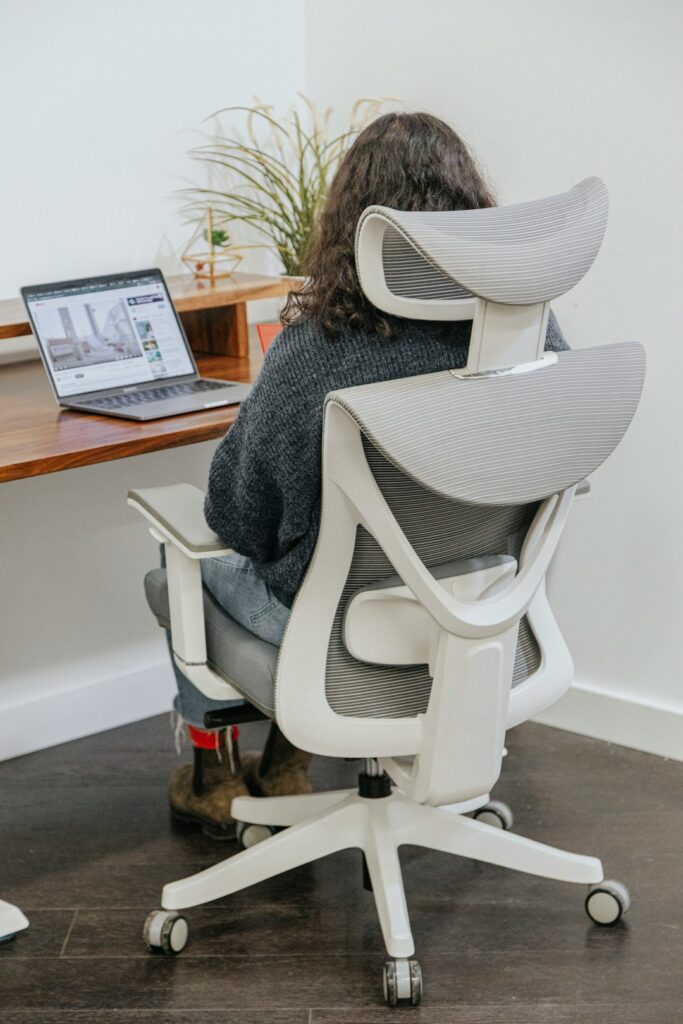
How can too much screen time contribute to back pain?
For residents of Lewisboro, NY, screen use often becomes part of work, school, commuting, household planning, and evening relaxation. Long periods of sitting can contribute to back pain when the body stays in one position, especially with the head tilted forward, shoulders rounded, or lower back unsupported.
The screen itself is not usually the sole cause of discomfort. The bigger concerns are prolonged stillness, awkward positioning, repeated bending of the neck, and too little movement during the day. Muscles may become tired from holding the body in one posture, while joints and soft tissues receive less variation in movement.
Common symptoms linked with extended screen use include:
- Aching across the lower back
- Stiffness after sitting or standing up
- Tightness in the shoulders and upper back
- Neck discomfort that spreads toward the shoulder blades
- Headaches associated with forward-head posture
- Temporary numbness or tingling caused by pressure on an arm or leg
These symptoms may improve when posture and movement habits change, but persistent or worsening pain deserves medical attention.
How often should someone take a screen break?
A brief movement break every 30 to 60 minutes is more useful than waiting until the end of the workday. The break does not need to be long. Standing, walking across the room, gently moving the shoulders, or changing from sitting to standing can reduce the effects of prolonged static posture.
A practical routine is:
- Set a timer for roughly 30 minutes during concentrated computer work.
- Stand up and move for two to five minutes.
- Look at a distant object to relax the eyes.
- Take a few slow breaths while allowing the shoulders to drop.
- Resume work in a slightly different position.
The goal is not perfect posture held rigidly for hours. The goal is regular variation. Even a well-designed chair and desk cannot fully offset sitting without movement.
What is the healthiest posture for computer and tablet use?
A comfortable, supported position is generally better than trying to hold a stiff “perfect” posture. The head should remain reasonably balanced over the shoulders, the elbows should stay close to the body, and the lower back should have support.
For computer use, try to:
- Place the top portion of the monitor near eye level.
- Keep the screen directly in front of the body rather than turned to one side.
- Position the screen close enough to avoid leaning forward.
- Let the elbows rest near the sides with the forearms supported.
- Keep both feet supported on the floor or on a stable footrest.
- Use a chair that allows the hips to remain level with or slightly higher than the knees.
Laptops and phones often create more difficulty because the screen and keyboard are attached. Raising a laptop screen can improve neck position, but an external keyboard may then be needed to keep the arms comfortable. For phone use, bring the device toward eye level instead of repeatedly lowering the head.
How can screen time be reduced without giving up necessary technology?
Reducing screen exposure does not require eliminating work, school, or communication. It usually works better to separate essential screen use from avoidable screen use.
Consider these adjustments:
- Use voice calls for conversations that do not require typing.
- Listen to audio during chores or walks when visual access is unnecessary.
- Keep phones off the table during meals.
- Use a paper list for short household tasks instead of repeatedly checking a device.
- Set a stopping time for recreational scrolling.
- Charge phones outside the bedroom if late-night use is a concern.
- Replace some television or tablet time with stretching, light household activity, reading, or conversation.
In area households, seasonal routines may also affect screen habits. Colder weather and shorter daylight can lead to more indoor sitting, while summer schedules may involve long periods of driving, remote work, or outdoor-to-indoor transitions. Planning movement breaks around these routines can make them easier to maintain.
Does standing solve the problem?
Standing can reduce the amount of time spent sitting, but standing in one position for long periods may also create discomfort. Alternating between sitting, standing, and walking is usually more practical than relying on a standing workstation alone.

A standing setup should allow the screen to remain near eye level and the keyboard or work surface to stay low enough that the shoulders are relaxed. Shifting weight, taking short walks, and changing tasks are still necessary.
If standing produces more back pain than sitting, the height or position of the workstation may need adjustment. Pain can also reflect an underlying condition that is not caused by screen posture alone.
What simple movements can help during the day?
Gentle movements can reduce stiffness without turning a work break into a strenuous exercise session. Stop any movement that causes sharp, spreading, or increasing pain.
Useful options include:
- Slowly turning the head from side to side within a comfortable range
- Rolling the shoulders backward several times
- Standing and gently extending the upper back
- Walking for a few minutes
- Performing controlled hip movements while holding a stable surface
- Lying down briefly with the knees bent and feet supported if the lower back feels fatigued
Regular physical activity outside screen hours also matters. Walking, swimming, strength exercises, and mobility work can help maintain tolerance for sitting and standing. Activity should be increased gradually, particularly after a period of inactivity.
Can sleep and home furniture affect screen-related back pain?
Yes. Evening screen use often occurs on couches, beds, or dining chairs that do not support the body well. Slouching with a laptop on the lap may place strain on the neck and lower back, while twisting to view a television can overload one side of the body.
A more supportive arrangement includes:
- Keeping the screen centered in front of the body
- Supporting the lower back with the chair or a small cushion
- Avoiding prolonged laptop use in bed
- Changing position before discomfort becomes intense
- Keeping frequently used items within easy reach to avoid repeated twisting
Sleep position may also influence morning stiffness. A mattress, pillow, or sleeping posture that leaves the spine unsupported can add to discomfort already created during the day. There is no single ideal sleep position for everyone, but the neck and spine should feel comfortably supported rather than sharply bent.
When should back pain be evaluated?
Back pain should be evaluated promptly if it follows a significant fall or collision, becomes severe, or is accompanied by leg weakness, loss of bladder or bowel control, numbness in the groin area, fever, unexplained weight loss, or a history of serious illness.
Pain that repeatedly returns, interferes with sleep, limits normal activities, or does not improve with reasonable movement and position changes also warrants medical assessment. These symptoms should not automatically be blamed on screen time.
For less severe discomfort, track when symptoms appear. Note the activity, duration of sitting, screen position, footwear, sleep quality, and movements that help. This information can reveal patterns and make future evaluation more useful.
A realistic daily approach
A manageable plan may include a brief walk after waking, alternating sitting and standing during computer tasks, moving every 30 to 60 minutes, keeping recreational screens out of meals, and ending the evening with a few minutes of gentle movement.
The most helpful change is usually not a single ergonomic purchase or one stretching routine. It is reducing long, uninterrupted periods in one position while making the home and work environment easier to adjust.
